Save references.
Write prompts.
Scopeful Copilot reads your reference boards to write tool-aware prompts for any AI creative tool.
The Scopeful app: a reference canvas holding saved images you can draw on, next to the Copilot. Add a reference to the Copilot and it writes a tool-aware prompt from it; a different reference produces a different prompt.





Scopeful Copilot
Ask about AI tool pricing, compare options, or write prompts for Seedance, NanoBanana, and more.
Tip: click a reference, then "Add to chat" to write a prompt from it.
Writes from your projects,
not just boards
Group a brief, its references, and the docs that matter into a project. Copilot reads the whole thing as context, so the prompt it writes already knows the job.
Brief, reference images, notes, links, and files. Everything in a project becomes context the Copilot pulls from.
Ask for a Kling video and Copilot writes a Kling prompt. Ask for Seedance and it writes a Seedance prompt. The tool-specific phrasing, negative prompts, and parameter ranges come baked in.
The output is plain text, ready to drop into Krea, Runway, Magnific, Midjourney, or any other tool. No markdown, no wrapper, no sign-up wall.
Projects
Sock Co. Spring 2027
Personal
Launching a new product line for spring. Sustainable materials, warm studio light, no props.
Updated Jul 2
Nordic sauna lookbook
Team
Exterior and interior reference set for the cedar sauna line. Summer light, natural wood tones.
Updated Jun 28
Terracotta cafe brand kit
Personal
Menu photography and brand references for the new location. Warm, editorial, not overlit.
Updated Jun 24
Menu shoot references
Team
Plated dish references from the last three shoots, kept together for the next one.
Updated Jun 19
Scopeful Copilot
Ask about AI tool pricing, compare options, or write prompts for Seedance, NanoBanana, and more.
Every format that made
the shot work, on one board.
Save the result and it brings the prompt and the input image with it. Pin anything else you want to reuse: a workflow note, a system prompt, a link. Nothing to file, nothing to name.
An image or video you keep lands on the board with the prompt and input image that made it. Nothing to file, nothing to name.
Prompts, images, videos, links, and the system prompts you keep reusing. One board holds all of it.
Open any board full-screen and arrange it like Miro. Or skip the canvas and just ask Copilot to search it for you.
Krea
tool
Runway
tool
System prompt
text
Input image
image
frozen lake, courtyard ref
seedance, rooftop pan
nano banana system prompt
sauna exterior, summer
Scopeful, in the page where you create
Right-click any image on any page to save it to your library. The side panel opens Copilot inside Krea, Runway, Magnific, Leonardo, and 30+ tools, so you can rewrite in place without leaving the page you’re on.
Get the extension- 3.1Write in the page
The Scopeful Copilot side panel opens on Midjourney, Kling, Krea, Runway, ComfyUI and 30+ creative AI tools. Describe what you want and Copilot writes a prompt in that tool's own syntax, in the page.
- 3.2Side-panel Copilot
- 3.3Library and references
Brains for
your coding agent
Pre-made knowledge packs and skills.md files that drop into Claude Code, Cursor, or any agent that reads them. Pull from Scopeful's library or build one from your own reference boards.
Curated brains for Magnific, ComfyUI, Krea, Runway, and the rest of the tools Scopeful tracks. Each one encodes the tool's API, model pricing, prompt patterns, and gotchas in a single file.
Agents read these files automatically from the project directory. No plugin installs, no extension stores, no config. One file in the right folder, your agent has the brain on every session.
A piped curl command downloads the brain and writes it to the right folder. Run it once and the skill persists across all future sessions. No npm, no homebrew, no setup steps.
ComfyUI MCP with a
self-updating brain
Describe what you want in Claude Code and the graph builds itself inside ComfyUI. A knowledge base of nodes, models, and proven graphs keeps itself current, you never maintain it.
A manifest of every custom node and model in the ComfyUI ecosystem, refreshed on each install. Your agent queries it to know which nodes exist, what inputs they take, and which models are compatible with each other.
Type 'upscale this image 4x with a detail-preserving model' and the agent selects the right node, connects it to a model loader, and wires the output. The graph builds itself from what you describe.
Synced from the ComfyUI manager registry at install time. When a node updates or a new model drops, your agent sees it on the next session. No manual reference list to maintain.
KSampler
current
VAE Decode
current
Upscale (4x)
current
ControlNet
current
Watch: a prompt in Claude Code builds the graph inside ComfyUI
From the blog
Seedance 2.0 Mini is here. Here's what it actually costs to use it for serious work.
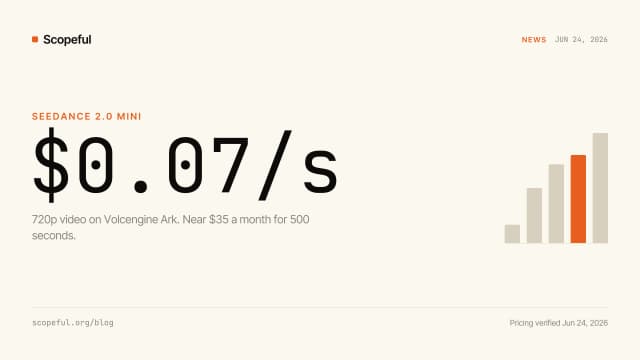
Mini is 2x faster and about 50% cheaper than 2.0 Fast: roughly $0.07 a second at 720p, near $35 a month for 500 seconds. It caps at 720p and faces drift on close-ups, so here is when to use it, when to stay on 2.0 standard, and the seed-reuse trick that cuts iteration cost 6x.
LTX Trainer: 10 Fine-Tunable Video Effects, and the First Agent-Driven Training Loop
LTX just shipped a training framework, not a model. Ten demo LoRAs, open source, and the first time a major video lab has shipped a tool an agent can drive end-to-end, including the training step.

Ideogram 4.0 is Good. Just Good.
Blind test of 240 images across 10 designers: Ideogram 4.0 wins typography at 47.9%, but ties Gemini on overall quality. The open weights model is the real story.

What's new
Credit Vault
$1.1M in free credits across 26 programs.
ComfyUI MCP
Self-updating knowledge base for graphs.
Scopeful MCP
One pricing engine, every agent.
Browser extension
Prompt rewriting inside Krea, Runway, Magnific, and Leonardo.
Your next prompt starts from what already worked.
The full Copilot, every board, all your references, on the free plan. No card.